Vous utilisez un navigateur non à jour ou ancien. Il ne peut pas afficher ce site ou d'autres sites correctement. Vous devez le mettre à jour ou utiliser un navigateur alternatif.
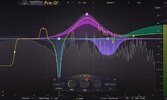
An equalizer is probably the tool you use most while mixing and mastering, so you need the best of the best. FabFilter Pro-Q 4 delivers with the highest possible sound quality, a very extensive feature set, and a gorgeous, innovative interface with unrivalled ease of use.
Pro-Q 4 builds on the powerful feature set, sound quality, and intuitive workflow that have always set Pro-Q apart with the addition of dynamic spectral processing, unified multi-instance control, direct curve drawing, analog-style saturation modes, a fresh new look, and much more.
Spectral Dynamics
Taking problem-solving EQ to new heights, Spectral Dynamics extends Pro-Q’s existing Dynamic EQ mode with the ability to apply expansion or compression to only those frequencies within a specified band that exceed the threshold, leaving all other frequencies unaffected. Making light work of suppressing harshness and unwanted resonances, this form of processing has always required a dedicated plug-in, but Pro-Q 4 simply integrates it as another per-band option alongside the conventional dynamic and static EQ modes users already rely on
every day.
Instance List
The new Instance List button at the bottom center of any Pro-Q 4 running in a project opens an overview of all Pro-Q 4 instances, zoomable from a rack of miniaturized spectrum displays all the way up to fully-interactive displays in which curves can be created and edited as usual — including with EQ Sketch. Activate the Auto-Zoom option to automatically focus on the instance currently under the mouse pointer, and use the Filter, Quick Jump, Search, and Minimap features to easily navigate between all Pro-Q 4 instances, no matter how numerous. The Instance List will save a ton of time when mixing, and is a feast for the eyes in Full Screen mode.
EQ Sketch
Pro-Q 4 further improves on the user experience with a whole new way to create broad-strokes filter response curves: EQ Sketch. Simply drag the mouse across the main display to instantiate a series of filters set up to match any curve drawn, with slopes defined by the steepness of the user’s mouse movements. Ideal for quickly establishing general frequency-shaping starting points to be tweaked and honed using Pro-Q 4’s regular controls, EQ Sketch is a serious workflow booster — particularly when used in conjunction with the new Instance List.
Character modes Pro-Q 4’s new Character modes bring the authentic circuit-modelled distortion for which FabFilter has long been known to Pro-Q, imbuing tracks and mixes with ear-pleasing analog flavor. Switch to the Subtle mode for gentle program- and frequency-dependent, transformer-style saturation, or the Warm mode when more obvious tube- style saturation is called for. The default Clean mode, meanwhile, retains Pro-Q’s original transparent, uncolored sound.
Contenu masqué
Vous devez aimer ce post pour à accéder à ce contenu.
An equalizer is probably the tool you use most while mixing and mastering, so you need the best of the best. FabFilter Pro-Q 4 delivers with the highest possible sound quality, a very extensive feature set, and a gorgeous, innovative interface with unrivalled ease of use.
Pro-Q 4 builds on the powerful feature set, sound quality, and intuitive workflow that have always set Pro-Q apart with the addition of dynamic spectral processing, unified multi-instance control, direct curve drawing, analog-style saturation modes, a fresh new look, and much more.
Spectral Dynamics
Taking problem-solving EQ to new heights, Spectral Dynamics extends Pro-Q’s existing Dynamic EQ mode with the ability to apply expansion or compression to only those frequencies within a specified band that exceed the threshold, leaving all other frequencies unaffected. Making light work of suppressing harshness and unwanted resonances, this form of processing has always required a dedicated plug-in, but Pro-Q 4 simply integrates it as another per-band option alongside the conventional dynamic and static EQ modes users already rely on
every day.
Instance List
The new Instance List button at the bottom center of any Pro-Q 4 running in a project opens an overview of all Pro-Q 4 instances, zoomable from a rack of miniaturized spectrum displays all the way up to fully-interactive displays in which curves can be created and edited as usual — including with EQ Sketch. Activate the Auto-Zoom option to automatically focus on the instance currently under the mouse pointer, and use the Filter, Quick Jump, Search, and Minimap features to easily navigate between all Pro-Q 4 instances, no matter how numerous. The Instance List will save a ton of time when mixing, and is a feast for the eyes in Full Screen mode.
EQ Sketch
Pro-Q 4 further improves on the user experience with a whole new way to create broad-strokes filter response curves: EQ Sketch. Simply drag the mouse across the main display to instantiate a series of filters set up to match any curve drawn, with slopes defined by the steepness of the user’s mouse movements. Ideal for quickly establishing general frequency-shaping starting points to be tweaked and honed using Pro-Q 4’s regular controls, EQ Sketch is a serious workflow booster — particularly when used in conjunction with the new Instance List.
Character modes Pro-Q 4’s new Character modes bring the authentic circuit-modelled distortion for which FabFilter has long been known to Pro-Q, imbuing tracks and mixes with ear-pleasing analog flavor. Switch to the Subtle mode for gentle program- and frequency-dependent, transformer-style saturation, or the Warm mode when more obvious tube- style saturation is called for. The default Clean mode, meanwhile, retains Pro-Q’s original transparent, uncolored sound.
An equalizer is probably the tool you use most while mixing and mastering, so you need the best of the best. FabFilter Pro-Q 4 delivers with the highest possible sound quality, a very extensive feature set, and a gorgeous, innovative interface with unrivalled ease of use.
Pro-Q 4 builds on the powerful feature set, sound quality, and intuitive workflow that have always set Pro-Q apart with the addition of dynamic spectral processing, unified multi-instance control, direct curve drawing, analog-style saturation modes, a fresh new look, and much more.
Spectral Dynamics
Taking problem-solving EQ to new heights, Spectral Dynamics extends Pro-Q’s existing Dynamic EQ mode with the ability to apply expansion or compression to only those frequencies within a specified band that exceed the threshold, leaving all other frequencies unaffected. Making light work of suppressing harshness and unwanted resonances, this form of processing has always required a dedicated plug-in, but Pro-Q 4 simply integrates it as another per-band option alongside the conventional dynamic and static EQ modes users already rely on
every day.
Instance List
The new Instance List button at the bottom center of any Pro-Q 4 running in a project opens an overview of all Pro-Q 4 instances, zoomable from a rack of miniaturized spectrum displays all the way up to fully-interactive displays in which curves can be created and edited as usual — including with EQ Sketch. Activate the Auto-Zoom option to automatically focus on the instance currently under the mouse pointer, and use the Filter, Quick Jump, Search, and Minimap features to easily navigate between all Pro-Q 4 instances, no matter how numerous. The Instance List will save a ton of time when mixing, and is a feast for the eyes in Full Screen mode.
EQ Sketch
Pro-Q 4 further improves on the user experience with a whole new way to create broad-strokes filter response curves: EQ Sketch. Simply drag the mouse across the main display to instantiate a series of filters set up to match any curve drawn, with slopes defined by the steepness of the user’s mouse movements. Ideal for quickly establishing general frequency-shaping starting points to be tweaked and honed using Pro-Q 4’s regular controls, EQ Sketch is a serious workflow booster — particularly when used in conjunction with the new Instance List.
Character modes Pro-Q 4’s new Character modes bring the authentic circuit-modelled distortion for which FabFilter has long been known to Pro-Q, imbuing tracks and mixes with ear-pleasing analog flavor. Switch to the Subtle mode for gentle program- and frequency-dependent, transformer-style saturation, or the Warm mode when more obvious tube- style saturation is called for. The default Clean mode, meanwhile, retains Pro-Q’s original transparent, uncolored sound.
An equalizer is probably the tool you use most while mixing and mastering, so you need the best of the best. FabFilter Pro-Q 4 delivers with the highest possible sound quality, a very extensive feature set, and a gorgeous, innovative interface with unrivalled ease of use.
Pro-Q 4 builds on the powerful feature set, sound quality, and intuitive workflow that have always set Pro-Q apart with the addition of dynamic spectral processing, unified multi-instance control, direct curve drawing, analog-style saturation modes, a fresh new look, and much more.
Spectral Dynamics
Taking problem-solving EQ to new heights, Spectral Dynamics extends Pro-Q’s existing Dynamic EQ mode with the ability to apply expansion or compression to only those frequencies within a specified band that exceed the threshold, leaving all other frequencies unaffected. Making light work of suppressing harshness and unwanted resonances, this form of processing has always required a dedicated plug-in, but Pro-Q 4 simply integrates it as another per-band option alongside the conventional dynamic and static EQ modes users already rely on
every day.
Instance List
The new Instance List button at the bottom center of any Pro-Q 4 running in a project opens an overview of all Pro-Q 4 instances, zoomable from a rack of miniaturized spectrum displays all the way up to fully-interactive displays in which curves can be created and edited as usual — including with EQ Sketch. Activate the Auto-Zoom option to automatically focus on the instance currently under the mouse pointer, and use the Filter, Quick Jump, Search, and Minimap features to easily navigate between all Pro-Q 4 instances, no matter how numerous. The Instance List will save a ton of time when mixing, and is a feast for the eyes in Full Screen mode.
EQ Sketch
Pro-Q 4 further improves on the user experience with a whole new way to create broad-strokes filter response curves: EQ Sketch. Simply drag the mouse across the main display to instantiate a series of filters set up to match any curve drawn, with slopes defined by the steepness of the user’s mouse movements. Ideal for quickly establishing general frequency-shaping starting points to be tweaked and honed using Pro-Q 4’s regular controls, EQ Sketch is a serious workflow booster — particularly when used in conjunction with the new Instance List.
Character modes Pro-Q 4’s new Character modes bring the authentic circuit-modelled distortion for which FabFilter has long been known to Pro-Q, imbuing tracks and mixes with ear-pleasing analog flavor. Switch to the Subtle mode for gentle program- and frequency-dependent, transformer-style saturation, or the Warm mode when more obvious tube- style saturation is called for. The default Clean mode, meanwhile, retains Pro-Q’s original transparent, uncolored sound.
An equalizer is probably the tool you use most while mixing and mastering, so you need the best of the best. FabFilter Pro-Q 4 delivers with the highest possible sound quality, a very extensive feature set, and a gorgeous, innovative interface with unrivalled ease of use.
Pro-Q 4 builds on the powerful feature set, sound quality, and intuitive workflow that have always set Pro-Q apart with the addition of dynamic spectral processing, unified multi-instance control, direct curve drawing, analog-style saturation modes, a fresh new look, and much more.
Spectral Dynamics
Taking problem-solving EQ to new heights, Spectral Dynamics extends Pro-Q’s existing Dynamic EQ mode with the ability to apply expansion or compression to only those frequencies within a specified band that exceed the threshold, leaving all other frequencies unaffected. Making light work of suppressing harshness and unwanted resonances, this form of processing has always required a dedicated plug-in, but Pro-Q 4 simply integrates it as another per-band option alongside the conventional dynamic and static EQ modes users already rely on
every day.
Instance List
The new Instance List button at the bottom center of any Pro-Q 4 running in a project opens an overview of all Pro-Q 4 instances, zoomable from a rack of miniaturized spectrum displays all the way up to fully-interactive displays in which curves can be created and edited as usual — including with EQ Sketch. Activate the Auto-Zoom option to automatically focus on the instance currently under the mouse pointer, and use the Filter, Quick Jump, Search, and Minimap features to easily navigate between all Pro-Q 4 instances, no matter how numerous. The Instance List will save a ton of time when mixing, and is a feast for the eyes in Full Screen mode.
EQ Sketch
Pro-Q 4 further improves on the user experience with a whole new way to create broad-strokes filter response curves: EQ Sketch. Simply drag the mouse across the main display to instantiate a series of filters set up to match any curve drawn, with slopes defined by the steepness of the user’s mouse movements. Ideal for quickly establishing general frequency-shaping starting points to be tweaked and honed using Pro-Q 4’s regular controls, EQ Sketch is a serious workflow booster — particularly when used in conjunction with the new Instance List.
Character modes Pro-Q 4’s new Character modes bring the authentic circuit-modelled distortion for which FabFilter has long been known to Pro-Q, imbuing tracks and mixes with ear-pleasing analog flavor. Switch to the Subtle mode for gentle program- and frequency-dependent, transformer-style saturation, or the Warm mode when more obvious tube- style saturation is called for. The default Clean mode, meanwhile, retains Pro-Q’s original transparent, uncolored sound.
An equalizer is probably the tool you use most while mixing and mastering, so you need the best of the best. FabFilter Pro-Q 4 delivers with the highest possible sound quality, a very extensive feature set, and a gorgeous, innovative interface with unrivalled ease of use.
Pro-Q 4 builds on the powerful feature set, sound quality, and intuitive workflow that have always set Pro-Q apart with the addition of dynamic spectral processing, unified multi-instance control, direct curve drawing, analog-style saturation modes, a fresh new look, and much more.
Spectral Dynamics
Taking problem-solving EQ to new heights, Spectral Dynamics extends Pro-Q’s existing Dynamic EQ mode with the ability to apply expansion or compression to only those frequencies within a specified band that exceed the threshold, leaving all other frequencies unaffected. Making light work of suppressing harshness and unwanted resonances, this form of processing has always required a dedicated plug-in, but Pro-Q 4 simply integrates it as another per-band option alongside the conventional dynamic and static EQ modes users already rely on
every day.
Instance List
The new Instance List button at the bottom center of any Pro-Q 4 running in a project opens an overview of all Pro-Q 4 instances, zoomable from a rack of miniaturized spectrum displays all the way up to fully-interactive displays in which curves can be created and edited as usual — including with EQ Sketch. Activate the Auto-Zoom option to automatically focus on the instance currently under the mouse pointer, and use the Filter, Quick Jump, Search, and Minimap features to easily navigate between all Pro-Q 4 instances, no matter how numerous. The Instance List will save a ton of time when mixing, and is a feast for the eyes in Full Screen mode.
EQ Sketch
Pro-Q 4 further improves on the user experience with a whole new way to create broad-strokes filter response curves: EQ Sketch. Simply drag the mouse across the main display to instantiate a series of filters set up to match any curve drawn, with slopes defined by the steepness of the user’s mouse movements. Ideal for quickly establishing general frequency-shaping starting points to be tweaked and honed using Pro-Q 4’s regular controls, EQ Sketch is a serious workflow booster — particularly when used in conjunction with the new Instance List.
Character modes Pro-Q 4’s new Character modes bring the authentic circuit-modelled distortion for which FabFilter has long been known to Pro-Q, imbuing tracks and mixes with ear-pleasing analog flavor. Switch to the Subtle mode for gentle program- and frequency-dependent, transformer-style saturation, or the Warm mode when more obvious tube- style saturation is called for. The default Clean mode, meanwhile, retains Pro-Q’s original transparent, uncolored sound.
An equalizer is probably the tool you use most while mixing and mastering, so you need the best of the best. FabFilter Pro-Q 4 delivers with the highest possible sound quality, a very extensive feature set, and a gorgeous, innovative interface with unrivalled ease of use.
Pro-Q 4 builds on the powerful feature set, sound quality, and intuitive workflow that have always set Pro-Q apart with the addition of dynamic spectral processing, unified multi-instance control, direct curve drawing, analog-style saturation modes, a fresh new look, and much more.
Spectral Dynamics
Taking problem-solving EQ to new heights, Spectral Dynamics extends Pro-Q’s existing Dynamic EQ mode with the ability to apply expansion or compression to only those frequencies within a specified band that exceed the threshold, leaving all other frequencies unaffected. Making light work of suppressing harshness and unwanted resonances, this form of processing has always required a dedicated plug-in, but Pro-Q 4 simply integrates it as another per-band option alongside the conventional dynamic and static EQ modes users already rely on
every day.
Instance List
The new Instance List button at the bottom center of any Pro-Q 4 running in a project opens an overview of all Pro-Q 4 instances, zoomable from a rack of miniaturized spectrum displays all the way up to fully-interactive displays in which curves can be created and edited as usual — including with EQ Sketch. Activate the Auto-Zoom option to automatically focus on the instance currently under the mouse pointer, and use the Filter, Quick Jump, Search, and Minimap features to easily navigate between all Pro-Q 4 instances, no matter how numerous. The Instance List will save a ton of time when mixing, and is a feast for the eyes in Full Screen mode.
EQ Sketch
Pro-Q 4 further improves on the user experience with a whole new way to create broad-strokes filter response curves: EQ Sketch. Simply drag the mouse across the main display to instantiate a series of filters set up to match any curve drawn, with slopes defined by the steepness of the user’s mouse movements. Ideal for quickly establishing general frequency-shaping starting points to be tweaked and honed using Pro-Q 4’s regular controls, EQ Sketch is a serious workflow booster — particularly when used in conjunction with the new Instance List.
Character modes Pro-Q 4’s new Character modes bring the authentic circuit-modelled distortion for which FabFilter has long been known to Pro-Q, imbuing tracks and mixes with ear-pleasing analog flavor. Switch to the Subtle mode for gentle program- and frequency-dependent, transformer-style saturation, or the Warm mode when more obvious tube- style saturation is called for. The default Clean mode, meanwhile, retains Pro-Q’s original transparent, uncolored sound.
An equalizer is probably the tool you use most while mixing and mastering, so you need the best of the best. FabFilter Pro-Q 4 delivers with the highest possible sound quality, a very extensive feature set, and a gorgeous, innovative interface with unrivalled ease of use.
Pro-Q 4 builds on the powerful feature set, sound quality, and intuitive workflow that have always set Pro-Q apart with the addition of dynamic spectral processing, unified multi-instance control, direct curve drawing, analog-style saturation modes, a fresh new look, and much more.
Spectral Dynamics
Taking problem-solving EQ to new heights, Spectral Dynamics extends Pro-Q’s existing Dynamic EQ mode with the ability to apply expansion or compression to only those frequencies within a specified band that exceed the threshold, leaving all other frequencies unaffected. Making light work of suppressing harshness and unwanted resonances, this form of processing has always required a dedicated plug-in, but Pro-Q 4 simply integrates it as another per-band option alongside the conventional dynamic and static EQ modes users already rely on
every day.
Instance List
The new Instance List button at the bottom center of any Pro-Q 4 running in a project opens an overview of all Pro-Q 4 instances, zoomable from a rack of miniaturized spectrum displays all the way up to fully-interactive displays in which curves can be created and edited as usual — including with EQ Sketch. Activate the Auto-Zoom option to automatically focus on the instance currently under the mouse pointer, and use the Filter, Quick Jump, Search, and Minimap features to easily navigate between all Pro-Q 4 instances, no matter how numerous. The Instance List will save a ton of time when mixing, and is a feast for the eyes in Full Screen mode.
EQ Sketch
Pro-Q 4 further improves on the user experience with a whole new way to create broad-strokes filter response curves: EQ Sketch. Simply drag the mouse across the main display to instantiate a series of filters set up to match any curve drawn, with slopes defined by the steepness of the user’s mouse movements. Ideal for quickly establishing general frequency-shaping starting points to be tweaked and honed using Pro-Q 4’s regular controls, EQ Sketch is a serious workflow booster — particularly when used in conjunction with the new Instance List.
Character modes Pro-Q 4’s new Character modes bring the authentic circuit-modelled distortion for which FabFilter has long been known to Pro-Q, imbuing tracks and mixes with ear-pleasing analog flavor. Switch to the Subtle mode for gentle program- and frequency-dependent, transformer-style saturation, or the Warm mode when more obvious tube- style saturation is called for. The default Clean mode, meanwhile, retains Pro-Q’s original transparent, uncolored sound.
An equalizer is probably the tool you use most while mixing and mastering, so you need the best of the best. FabFilter Pro-Q 4 delivers with the highest possible sound quality, a very extensive feature set, and a gorgeous, innovative interface with unrivalled ease of use.
Pro-Q 4 builds on the powerful feature set, sound quality, and intuitive workflow that have always set Pro-Q apart with the addition of dynamic spectral processing, unified multi-instance control, direct curve drawing, analog-style saturation modes, a fresh new look, and much more.
Spectral Dynamics
Taking problem-solving EQ to new heights, Spectral Dynamics extends Pro-Q’s existing Dynamic EQ mode with the ability to apply expansion or compression to only those frequencies within a specified band that exceed the threshold, leaving all other frequencies unaffected. Making light work of suppressing harshness and unwanted resonances, this form of processing has always required a dedicated plug-in, but Pro-Q 4 simply integrates it as another per-band option alongside the conventional dynamic and static EQ modes users already rely on
every day.
Instance List
The new Instance List button at the bottom center of any Pro-Q 4 running in a project opens an overview of all Pro-Q 4 instances, zoomable from a rack of miniaturized spectrum displays all the way up to fully-interactive displays in which curves can be created and edited as usual — including with EQ Sketch. Activate the Auto-Zoom option to automatically focus on the instance currently under the mouse pointer, and use the Filter, Quick Jump, Search, and Minimap features to easily navigate between all Pro-Q 4 instances, no matter how numerous. The Instance List will save a ton of time when mixing, and is a feast for the eyes in Full Screen mode.
EQ Sketch
Pro-Q 4 further improves on the user experience with a whole new way to create broad-strokes filter response curves: EQ Sketch. Simply drag the mouse across the main display to instantiate a series of filters set up to match any curve drawn, with slopes defined by the steepness of the user’s mouse movements. Ideal for quickly establishing general frequency-shaping starting points to be tweaked and honed using Pro-Q 4’s regular controls, EQ Sketch is a serious workflow booster — particularly when used in conjunction with the new Instance List.
Character modes Pro-Q 4’s new Character modes bring the authentic circuit-modelled distortion for which FabFilter has long been known to Pro-Q, imbuing tracks and mixes with ear-pleasing analog flavor. Switch to the Subtle mode for gentle program- and frequency-dependent, transformer-style saturation, or the Warm mode when more obvious tube- style saturation is called for. The default Clean mode, meanwhile, retains Pro-Q’s original transparent, uncolored sound.
An equalizer is probably the tool you use most while mixing and mastering, so you need the best of the best. FabFilter Pro-Q 4 delivers with the highest possible sound quality, a very extensive feature set, and a gorgeous, innovative interface with unrivalled ease of use.
Pro-Q 4 builds on the powerful feature set, sound quality, and intuitive workflow that have always set Pro-Q apart with the addition of dynamic spectral processing, unified multi-instance control, direct curve drawing, analog-style saturation modes, a fresh new look, and much more.
Spectral Dynamics
Taking problem-solving EQ to new heights, Spectral Dynamics extends Pro-Q’s existing Dynamic EQ mode with the ability to apply expansion or compression to only those frequencies within a specified band that exceed the threshold, leaving all other frequencies unaffected. Making light work of suppressing harshness and unwanted resonances, this form of processing has always required a dedicated plug-in, but Pro-Q 4 simply integrates it as another per-band option alongside the conventional dynamic and static EQ modes users already rely on
every day.
Instance List
The new Instance List button at the bottom center of any Pro-Q 4 running in a project opens an overview of all Pro-Q 4 instances, zoomable from a rack of miniaturized spectrum displays all the way up to fully-interactive displays in which curves can be created and edited as usual — including with EQ Sketch. Activate the Auto-Zoom option to automatically focus on the instance currently under the mouse pointer, and use the Filter, Quick Jump, Search, and Minimap features to easily navigate between all Pro-Q 4 instances, no matter how numerous. The Instance List will save a ton of time when mixing, and is a feast for the eyes in Full Screen mode.
EQ Sketch
Pro-Q 4 further improves on the user experience with a whole new way to create broad-strokes filter response curves: EQ Sketch. Simply drag the mouse across the main display to instantiate a series of filters set up to match any curve drawn, with slopes defined by the steepness of the user’s mouse movements. Ideal for quickly establishing general frequency-shaping starting points to be tweaked and honed using Pro-Q 4’s regular controls, EQ Sketch is a serious workflow booster — particularly when used in conjunction with the new Instance List.
Character modes Pro-Q 4’s new Character modes bring the authentic circuit-modelled distortion for which FabFilter has long been known to Pro-Q, imbuing tracks and mixes with ear-pleasing analog flavor. Switch to the Subtle mode for gentle program- and frequency-dependent, transformer-style saturation, or the Warm mode when more obvious tube- style saturation is called for. The default Clean mode, meanwhile, retains Pro-Q’s original transparent, uncolored sound.